Top 10 Free Profile Picture Maker Tools to Try in 2025
Introduction
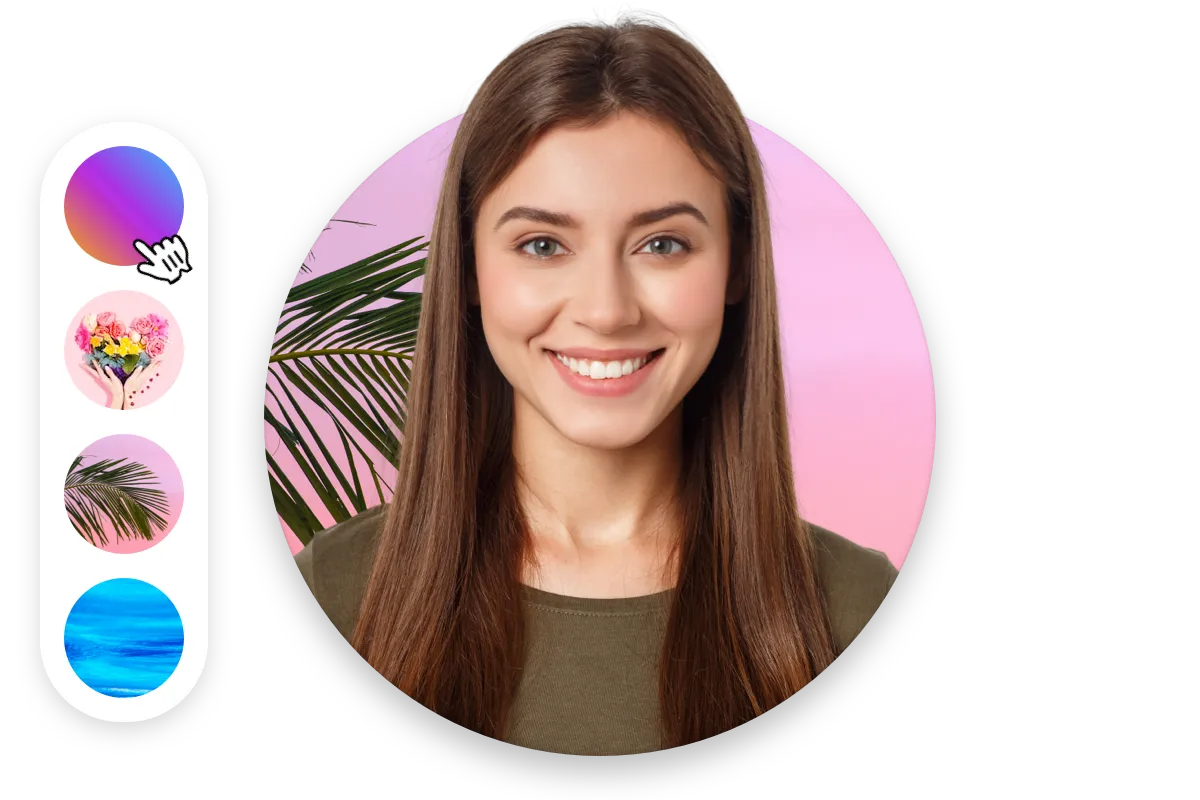
Your profile picture says more about you than words ever could. Whether it’s for a social media profile, a gaming avatar, a LinkedIn headshot, or a dating app photo, the right image can instantly make an impression. In 2025, you don’t need a professional photographer or expensive software to look great online—thanks to a new generation of free profile picture maker tools that combine AI, creativity, and simplicity. These platforms let you transform ordinary selfies into stunning, professional-looking avatars, complete with backgrounds, filters, and effects that match your personality and purpose.
If you’re ready to give your digital presence a modern, polished look, here’s a roundup of the top 10 free profile picture maker tools to try in 2025.
1. PFPMaker
Best for: Professional and social media headshots
PFPMaker has quickly become one of the most popular tools for creating professional profile photos. It uses advanced AI to remove backgrounds, enhance lighting, and automatically adjust the composition of your image. You can experiment with different styles—from formal business looks to casual or creative vibes.
Key Features:
- AI-powered background removal
- Dozens of customizable background options
- Natural lighting and face enhancement tools
- Download in high resolution
Why Try It: PFPMaker is perfect for those who want clean, professional results without needing editing skills. It’s widely used by LinkedIn professionals and freelancers.
2. Canva
Best for: Creative and aesthetic profile pictures
Canva isn’t just for posters and presentations—it’s also a fantastic profile picture maker. With its huge library of templates, filters, and design elements, you can create a picture that perfectly reflects your brand or mood.
Key Features:
- Thousands of editable templates
- Free stock photos and icons
- AI-powered Magic Edit and Magic Eraser tools
- Supports animation and stickers
Why Try It: Canva is ideal for social media influencers, YouTubers, and anyone who wants a unique, eye-catching profile picture with a personal touch.
3. Fotor AI Profile Picture Generator
Best for: AI-driven avatars and portraits
Fotor’s AI-powered profile picture maker takes your image and reimagines it in multiple artistic styles—realistic portraits, anime, fantasy, or even cinematic edits. Simply upload a few photos, choose your style, and let the AI do its magic.
Key Features:
- Dozens of AI-generated styles
- Automatic facial retouching
- One-click background change
- Batch editing options
Why Try It: Great for users who love experimenting with creative or futuristic profile styles.
4. Pica AI
Best for: Realistic AI avatars
Pica AI has gained massive attention in 2025 for its realistic, studio-quality AI-generated avatars. The tool can analyze your uploaded photo and produce multiple variations—from corporate portraits to fantasy characters—all while maintaining a lifelike appearance.
Key Features:
- High-resolution AI avatars
- Variety of artistic and realistic styles
- Intuitive drag-and-drop editor
- Instant download without watermarks
Why Try It: If you want a realistic yet artistic look for your social or gaming profile, Pica AI delivers impressive results.
5. Adobe Express
Best for: Polished, professional profile designs
Adobe Express (formerly Adobe Spark) brings Adobe’s signature editing power to your browser. It offers a simple way to enhance your portrait with filters, design elements, and professional color correction—all for free.
Key Features:
- Professional-grade filters and lighting tools
- AI background removal
- Integration with Adobe Stock library
- Easy resizing for multiple platforms
Why Try It: Perfect for business owners, marketers, and creatives who want a polished, branded appearance.
6. PicsArt Profile Maker
Best for: Fun, trendy social media looks
PicsArt has long been known for its playful editing tools and trendy aesthetic filters. The platform now includes a dedicated profile picture maker that helps users create bold and expressive avatars for TikTok, Instagram, and YouTube.
Key Features:
- Trendy filters and effects
- AI background changer
- Stickers, emojis, and text overlays
- Community templates for inspiration
Why Try It: Ideal for influencers or casual users who want to stand out with a creative and colorful style.
7. ProfilePicture.AI
Best for: AI-generated artistic portraits
This tool uses advanced deep learning models to create artistic, stylized profile images. Upload 10–20 selfies, and ProfilePicture.AI generates a full pack of customized avatars that range from realistic to digital art styles.
Key Features:
- 50+ unique artistic themes
- Consistent facial accuracy across styles
- Secure photo upload (privacy-focused)
- High-definition downloads
Why Try It: Great for people who want to explore unique artistic expressions for their online profiles.
8. BeFunky
Best for: Easy photo retouching and beautification
BeFunky has an intuitive interface and offers a range of retouching tools to enhance your look naturally. Whether it’s adjusting brightness, smoothing skin, or applying subtle makeup filters, BeFunky helps you look your best.
Key Features:
- AI portrait enhancer
- Simple drag-and-drop editing
- One-click background remover
- Filter packs and overlays
Why Try It: Perfect for beginners who want quick, natural-looking improvements.
9. DesignCap
Best for: Quick, no-frills profile editing
DesignCap is a lightweight online editor that focuses on simplicity. You can upload an image, apply filters, crop it to the right dimensions, and add stylish backgrounds. It’s less flashy than other tools but gets the job done efficiently.
Key Features:
- Custom canvas sizes for all platforms
- Easy cropping and color adjustment
- Free templates and icons
- Fast export options
Why Try It: A solid choice for users who prefer simplicity over advanced AI effects.
10. Photoleap by Lightricks
Best for: Advanced AI and aesthetic control
Photoleap combines photo editing and AI-powered creativity. You can transform your selfie into digital art, cartoon styles, or even cinematic portraits. It’s great for users who want to push beyond standard profile photos.
Key Features:
- AI art generator
- Realistic and fantasy-style filters
- Background replacement
- Layer-based editing for professionals
Why Try It: Ideal for users who want full control and artistic freedom when designing a unique profile image.
Tips for Choosing the Right Profile Picture Maker
- Define Your Purpose: A professional headshot for LinkedIn should look different from a fun gaming avatar or dating app photo.
- Check AI Quality: Look for tools that maintain facial details without over-editing.
- Prioritize Privacy: Always choose tools that clearly state how they handle uploaded images.
- Experiment with Styles: Try multiple designs and see which one matches your personality best.
- Optimize for Platforms: Ensure your profile picture is properly sized for each platform (e.g., circular crop for Instagram or square for Facebook).
Conclusion
In the digital age, your profile picture is your personal brand—it’s the first thing people notice and often the lasting impression they remember. With these top free profile picture maker tools of 2025, you can effortlessly create a photo that reflects who you are, what you do, and how you want to be seen online.
Whether you prefer a clean, professional image or an artistic, AI-generated avatar, these platforms give you the freedom to express yourself without needing any design skills. Try a few, have fun experimenting, and watch your online presence transform—one picture at a time.